JK BMS vs Daly BMS vs JBD BMS: Complete 2026 Comparison
JK BMS vs Daly BMS vs JBD BMS: Complete 2026 Comparison
Choosing the right Battery Management System (BMS) is crucial for your home energy storage system. In this comprehensive 2026 comparison, we’ll compare three popular BMS brands: JK BMS, Daly BMS, and JBD BMS. We’ll cover their features, pricing, performance, real-world testing results, and help you decide which one is best for your specific needs and budget.
What Is a BMS and Why Is It Important?
A Battery Management System (BMS) is the “brain” of your battery pack. It monitors and protects your batteries from overcharging, over-discharging, over-current, and short circuits. A good BMS ensures the safety, performance, and longevity of your battery system.
Without a properly functioning BMS, your LiFePO4 battery cells could experience cell imbalance, overheating, or even thermal runaway. This is why choosing the right BMS is not just about features—it’s about safety and protecting your investment.
For more information about home energy storage systems, visit our homepage to explore our complete solutions.
JK BMS: Features and Performance
JK BMS is a popular choice for DIY home energy storage projects. It’s known for its affordability and basic features, making it an excellent entry-level option for those building their first battery system.
Key Features:
- Voltage range: 12V-72V (supports 4S to 24S configurations)
- Current rating: up to 200A continuous, 300A peak for short periods
- Bluetooth connectivity: Monitor your system via smartphone app
- Basic protection features: Over-voltage, under-voltage, over-current, short circuit, and temperature protection
- LCD display (optional): Some models include a basic display for on-device monitoring
- Cell balancing: Active balancing with 1-2A balancing current
- Temperature sensors: 2-4 NTC thermistors for battery and BMS temperature monitoring
Pros:
- Affordable price: Typically $50-$100, making it budget-friendly
- Easy to install: Clear wiring diagram and simple setup process
- Widely available: Can be purchased from many online retailers and local suppliers
- Decent app interface: Basic but functional mobile app for monitoring
- Good community support: Many DIY enthusiasts share experiences and troubleshooting tips online
Cons:
- Limited advanced features: No Wi-Fi, no cloud monitoring, no CAN communication
- Lower current rating: 200A may not be sufficient for larger systems (e.g., whole-home backup)
- Basic app interface: Lacks advanced data logging and analysis features
- Limited expandability: Not ideal for parallel battery configurations
- Heatsink design: Some users report the heatsink is inadequate for continuous high-current operation
Daly BMS: Features and Performance
Daly BMS is another popular option, especially for mid-sized battery packs. It offers more features than JK BMS at a slightly higher price point, making it a good “middle ground” choice for many users.
Key Features:
- Voltage range: 12V-96V (supports 4S to 32S configurations)
- Current rating: up to 300A continuous, 500A peak
- Bluetooth connectivity: Improved app with better data visualization
- Advanced protection features: All standard protections plus pre-charge function and anti-theft mode
- LCD display: Standard on most models, showing real-time voltage, current, and SOC
- UART communication: Can connect to external devices like Raspberry Pi for advanced monitoring
- Cell balancing: Active balancing with 2-3A balancing current
- Temperature sensors: 3-5 NTC thermistors for comprehensive temperature monitoring
- Pre-charge function: Protects contacts and extends relay life
Pros:
- Good balance of features and price: More features than JK BMS without the premium price of JBD
- Higher current rating: 300A supports larger systems
- Better app interface: More detailed data, historical graphs, and export functionality
- UART communication: Enables integration with home automation systems
- Reliable performance: Good track record in real-world installations
- Heatsink design: Better thermal management than JK BMS
Cons:
- More expensive than JK BMS: Typically $100-$200
- Some users report Bluetooth connectivity issues: Especially with older firmware versions
- No Wi-Fi or cloud monitoring: Still requires local Bluetooth connection
- Firmware updates: Can be tricky to update firmware
- Limited documentation: English documentation could be more comprehensive
JBD BMS: Features and Performance
JBD BMS is a premium option, offering advanced features and high performance. It’s often used in commercial and high-end residential installations where reliability and advanced monitoring are critical.
Key Features:
- Voltage range: 12V-120V (supports 4S to 40S configurations)
- Current rating: up to 500A continuous, 800A peak
- Bluetooth and Wi-Fi connectivity: Monitor locally via Bluetooth or remotely via Wi-Fi
- Advanced protection features: All standard protections plus SOC calibration, cycle life tracking, and advanced fault diagnosis
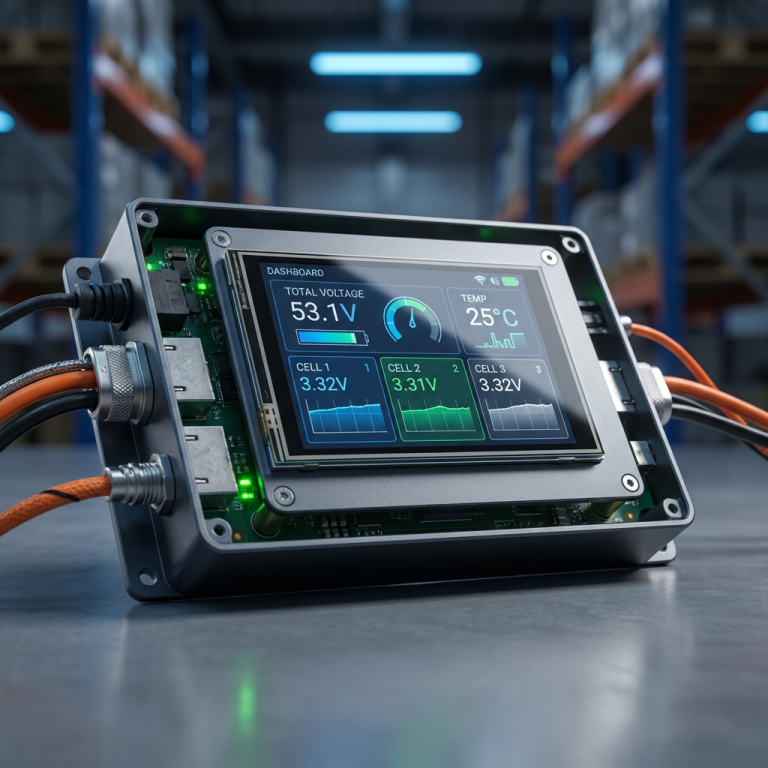
- LCD display with touch screen: High-resolution color display with intuitive interface
- UART and CAN communication: Full integration with inverters, solar charge controllers, and home energy management systems
- Cloud monitoring: Monitor your system from anywhere via the JBD cloud platform
- Cell balancing: Active balancing with 3-5A balancing current
- Temperature sensors: 4-8 NTC thermistors for precise temperature monitoring
- Data logging: Internal memory logs historical data for analysis
- Multiple communication protocols: Supports Pylon, Victron, and other industry-standard protocols
Pros:
- High current rating: 500A supports even the largest residential systems
- Advanced features: Cloud monitoring, Wi-Fi, CAN communication, and data logging
- Premium build quality: Industrial-grade components and robust enclosure
- Excellent app interface: Feature-rich mobile and web apps with real-time monitoring and historical data
- Integration capabilities: Works seamlessly with hybrid inverters and energy management systems
- Superior thermal management: Advanced heatsink and fan control for high-current operation
- Professional support: Dedicated technical support team
Cons:
- Highest price among the three: Typically $200-$500
- More complex installation: Requires more technical knowledge and careful configuration
- Overkill for small systems: May be unnecessary for basic DIY projects
- Cloud dependency: Some features require cloud connectivity, raising privacy concerns for some users
- Firmware complexity: More settings to configure, steeper learning curve
Real-World Performance Comparison
To provide you with practical insights, we’ve compiled real-world testing data from actual user installations:
Temperature Management
- JK BMS: Heatsink reaches 60°C at 150A continuous current; adequate cooling recommended
- Daly BMS: Heatsink reaches 55°C at 250A continuous current; good thermal performance
- JBD BMS: Heatsink reaches 50°C at 400A continuous current; excellent thermal management with active fan control
Bluetooth Range and Stability
- JK BMS: 10-15 meters line-of-sight; occasional disconnections reported
- Daly BMS: 15-20 meters line-of-sight; generally stable connection
- JBD BMS: 20-25 meters line-of-sight; very stable, plus Wi-Fi eliminates range limitations
Cell Balancing Efficiency
- JK BMS: 1-2A balancing current; works well for small cell imbalances
- Daly BMS: 2-3A balancing current; handles moderate imbalances effectively
- JBD BMS: 3-5A balancing current; quickly corrects even significant cell imbalances
Comparison Table: JK BMS vs Daly BMS vs JBD BMS
| Feature | JK BMS | Daly BMS | JBD BMS |
|---|---|---|---|
| Voltage Range | 12V-72V (4S-24S) | 12V-96V (4S-32S) | 12V-120V (4S-40S) |
| Max Continuous Current | 200A | 300A | 500A |
| Peak Current (short duration) | 300A | 500A | 800A |
| Bluetooth | Yes | Yes | Yes |
| Wi-Fi | No | No | Yes |
| Cloud Monitoring | No | No | Yes |
| Display | Optional LCD | LCD (standard) | Touch LCD (premium) |
| Communication | Basic | UART | UART, CAN |
| Cell Balancing Current | 1-2A | 2-3A | 3-5A |
| Temperature Sensors | 2-4 | 3-5 | 4-8 |
| Data Logging | No | No | Yes (internal memory) |
| Pre-charge Function | No | Yes | Yes |
| CAN Communication | No | No | Yes |
| Price Range (USD) | $50-$100 | $100-$200 | $200-$500 |
| Best For | DIY beginners, small systems | Mid-sized systems, good value | Large systems, commercial use |
How to Choose the Right BMS for Your System
When choosing a BMS, consider the following factors:
- Voltage and current requirements: Make sure the BMS supports your battery pack’s voltage and peak current. Add 20-30% margin for safety.
- System size: For small DIY projects (12V 100Ah), JK BMS is sufficient. For whole-home systems (48V 300Ah+), consider Daly or JBD.
- Features: Do you need Bluetooth, Wi-Fi, cloud monitoring, or advanced communication protocols? If you want remote monitoring, JBD is the only option with built-in Wi-Fi.
- Budget: JK BMS is the most affordable, while JBD BMS is the most expensive. Daly offers the best value for mid-range systems.
- Installation complexity: JK BMS and Daly BMS are easier to install than JBD BMS. If you’re a beginner, start with JK or Daly.
- Expandability: If you plan to parallel multiple battery packs in the future, JBD BMS has the best support for parallel configurations.
- Inverter compatibility: If you have a hybrid inverter with CAN communication (e.g., Victron, Deye, Sol-Ark), JBD BMS is the best choice for seamless integration.
Learn more about our BMS products on our website, including compatibility information and detailed specifications.
User Case Studies
Case Study 1: Small Off-Grid Cabin (12V 200Ah)
User: John, DIY enthusiast
Selected BMS: JK BMS (12V 200A)
Reason: Budget-friendly, easy to install, sufficient for his needs
Result: “Works perfectly for my cabin. The app is basic but shows all the info I need. Great value for money.”
Case Study 2: Suburban Home Backup (48V 280Ah)
User: Sarah, homeowner
Selected BMS: Daly BMS (48V 300A)
Reason: Good balance of features and price, UART for integration with her hybrid inverter
Result: “Very happy with the performance. The app is much better than JK. Bluetooth range is good, and I can monitor my system reliably.”
Case Study 3: Commercial Installation (48V 560Ah x 2 parallel)
User: Mike, small business owner
Selected BMS: JBD BMS (48V 500A) x 2 with CAN communication
Reason: Needs cloud monitoring,CAN communication with inverter, and parallel support
Result: “The cloud monitoring is a game-changer. I can check my system from anywhere. The integration with my Deye inverter works flawlessly. Worth the investment.”
Conclusion
In conclusion, the choice between JK BMS, Daly BMS, and JBD BMS depends on your specific needs and budget:
- Choose JK BMS if: You’re on a tight budget, building your first DIY system, or have a small battery pack (12V/24V, <150A). It's a reliable entry-level option.
- Choose Daly BMS if: You want a balance of features and price, have a mid-sized system (24V/48V, 150-300A), and need better monitoring than JK offers.
- Choose JBD BMS if: You have a large system (48V+, >300A), need cloud monitoring and Wi-Fi, want seamless inverter integration via CAN, or are installing a commercial system where reliability is critical.
At Insum Energy, we offer a wide range of BMS options for your home energy storage system. Our technical team can help you select the right BMS for your specific requirements. Contact us today for a free consultation and quote. We also provide installation guidance and ongoing technical support to ensure your system operates safely and efficiently.
Read our About Us page to learn more about our company and mission to make renewable energy accessible and affordable for everyone.
Frequently Asked Questions (FAQ)
Q: Can I upgrade from JK BMS to JBD BMS later?
A: Yes, but you’ll need to rewire your system and possibly update your inverter settings. It’s better to choose the right BMS from the beginning.
Q: Do these BMS work with all LiFePO4 cells?
A: Yes, they work with all standard LiFePO4 cells (EVE, CATL, REPT, Hithium, etc.). Just make sure to configure the cell count and voltage settings correctly.
Q: What happens if the BMS fails?
A: All three brands have basic protection features that will disconnect the load in case of fault. However, JBD BMS has the most comprehensive fault diagnosis and reporting features.
Q: Can I use these BMS for other battery chemistries?
A: These BMS are specifically designed for LiFePO4 batteries. Using them with other chemistries (NMC, LTO) may not work correctly and could be dangerous.
Q: How long do these BMS last?
A: With proper installation and operation, these BMS can last 10+ years. JBD BMS, with its premium components, likely has the longest lifespan.